Create colour scale used in topographic figures
create_scale.RdCreate colour scale used in topographic figures
Usage
create_scale(
  col_range,
  k = NULL,
  type = c("redblue", "topo"),
  symmetric = TRUE
)
Arguments
- col_range
A numeric vector with required range of the variable to be plotted in the colour scale.
- k
A number from interval (0,1) indicating a sequence step for the colour palette. The smaller number, the finer division of the data range interval. See Details for more information about auto-computing if
NULL.- type
A character indicating the type of color palette to create. Available options:
"redblue"(default value) for red-blue palette and"topo"for topographical palette, see Details for more information.- symmetric
A logical value indicating whether the color range should be strictly symmetrized around zero. Defaults to
TRUE.
Value
A list with two components:
- colors
A vector with hexadecimal codes of palette colours.
- breaks
A vector with breaks for cutting the data range.
The list is intended for use in scale_fill_gradientn or similar plotting calls.
Additionally, the returned object carries a "diegr_metadata" attribute with metadata such as the actual k used for creating the scale.
Details
The topographical palette (type = "topo") is created according to topographical colours: negative values correspond to shades of blue and purple and positive values to shades of green, yellow and red. The zero value of the variable is always at the border of blue and green shades.
The red-blue palette (type = "redblue") has negative values corresponding to shades of blue and positive values corresponding to shades of red.
By default (symmetric = TRUE), to guarantee true perceptual uniformity and equal visual emphasis, the provided col_range is additionally automatically symmetrized around zero based on its maximum absolute value. For example, an input range of c(-2, 5) is internally expanded to c(-5, 5).
For the default redblue palette, this symmetrization ensures that equivalent positive and negative amplitudes are mapped to identical color intensities. Furthermore, the redblue palette strictly anchors the zero-point to a neutral background color, preventing false perceptual boundaries. (Note that while the legacy topo palette is also symmetrized, it retains its characteristic blue-green transition at zero).
Setting symmetric = FALSE disables this zero-centering expansion, which may be useful for strictly unipolar data or heavily skewed distributions, though it sacrifices equal visual emphasis for opposite polarities.
To compare results for different subjects or conditions, set the same col_range for all cases. Otherwise, the colours are assigned separately in each plot and are not consistent with each other.
The parameter k is set by default with respect to the range of col_range as follows:
k = 0.1for range \(\leq 30\),k = 0.03for range \(\geq 70\),k = 0.04otherwise.
Examples
# Create red-blue scale on interval (-10,10) with default step number
create_scale(col_range = c(-10,10), type = "redblue")
#> $colors
#>  [1] "#2E5A87" "#5F80A2" "#91A7BE" "#C3CED9" "#F5F5F5" "#F5F5F5" "#E2BAC5"
#>  [8] "#CF8096" "#BC4667" "#A90C38"
#>
#> $breaks
#>  [1] -10  -8  -6  -4  -2   0   2   4   6   8  10
#>
#> attr(,"diegr_metadata")
#> attr(,"diegr_metadata")$step
#> [1] "create_scale"
#>
#> attr(,"diegr_metadata")$timestamp
#> [1] "2026-08-20 07:41:53 UTC"
#>
#> attr(,"diegr_metadata")$package_version
#> [1] "0.3.1"
#>
#> attr(,"diegr_metadata")$scale_parameters
#> attr(,"diegr_metadata")$scale_parameters$col_range_used
#> [1] -10  10
#>
#> attr(,"diegr_metadata")$scale_parameters$symmetric_applied
#> [1] TRUE
#>
#> attr(,"diegr_metadata")$scale_parameters$k_used
#> [1] 0.1
#>
#>

# Create an asymmetric topographic scale on interval c(-5,10) with small k (finer division)
CStopo <- create_scale(col_range = c(-5, 10), k = 0.02, type = "topo", symmetric = FALSE)
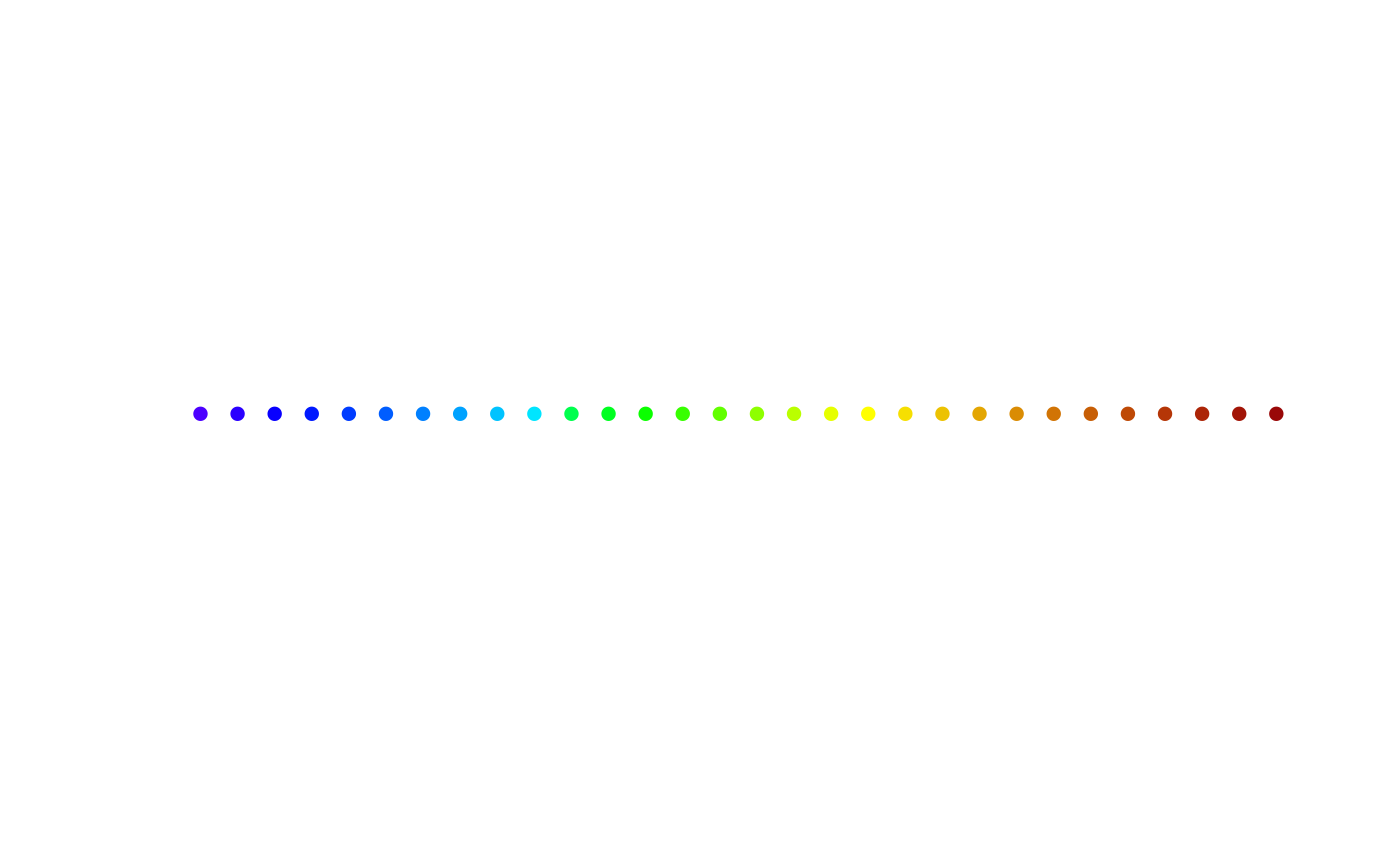
# plot colours of the scale as points
k_col <- length(CStopo$colors)
plot(1:k_col, rep(1, k_col), col = CStopo$colors, pch = 16,
 axes = FALSE, ylab = "", xlab = "")