Plot point mesh
plot_point_mesh.RdPlots a mesh of points (typically from point_mesh) as either a 2D ggplot or 3D rgl plot depending on the requested dimension.
Usage
plot_point_mesh(
  mesh,
  sensors = TRUE,
  label_sensors = FALSE,
  sensor_select = NULL,
  names_vec = NULL,
  col = "gray",
  cex = 0.4,
  col_sensors = "green",
  own_coordinates = NULL,
  plot_dim = NULL
)
Arguments
- mesh
An object of class
"mesh"(typically returned by thepoint_meshfunction), or another list with the same structure. It must contain dense mesh coordinates inD2and/orD3and atemplatestring indicating the sensor montage used.- sensors
A logical value indicating whether the sensor locations should also be plotted (default value is
TRUE).- label_sensors
A logical value indicating whether the sensor labels should also be plotted (default value is
FALSE).- sensor_select
Optionally, a vector with sensor labels selected from the template during a mesh building. It must be the same as the vector used to create the mesh that the function is supposed to draw, otherwise the final plot will be incorrect.
- names_vec
A character vector of labels matching rows in
own_coordinates. The argument is required when usingown_coordinatestogether with settinglabel_sensors = TRUE, otherwise is optional.- col
The colour of mesh points (default colour is gray).
- cex
The
cex(size) argument for points of the mesh.- col_sensors
The colour of sensor locations points (default colour is green).
- own_coordinates
A data frame or tibble with coordinates of the sensor locations (matching the dimensionality of the mesh and containing appropriate coordinate columns). If the value is
NULLandsensorsis set toTRUE, the template specified inmesh$templateis used automatically.- plot_dim
A numeric value (
2or3) specifying which dimension of the mesh to plot. IfNULL(default), the function automatically plots 3D if available in themeshobject, otherwise it falls back to 2D.
Value
A ggplot object when plot_dim = 2. Additionally, the returned ggplot object carries a "diegr_metadata" attribute with metadata such as the actual number of generated mesh points or the template used.
For plot_dim = 3, the mesh and sensors are drawn in the active rgl device.
Details
Please follow the instructions below when entering own_coordinates:
The output 2D plot is designed with frontal part of the brain above and occipital part of the brain bottom. The orientation of own_coordinates should be consistent with this. In other case the results could be distorted.
For displaying 3D rgl plot, the own_coordinates must contain the D3 part with x, y and z coordinates of the sensors, otherwise the function does not work correctly.
The order of elements in names_vec must be consistent with elements of own_coordinates.
When both names_vec and own_coordinates are provided, it is essential that the length of names_vec matches the number of rows in own_coordinates, otherwise the names are not plotted (despite the setting label_sensors = TRUE).
Examples
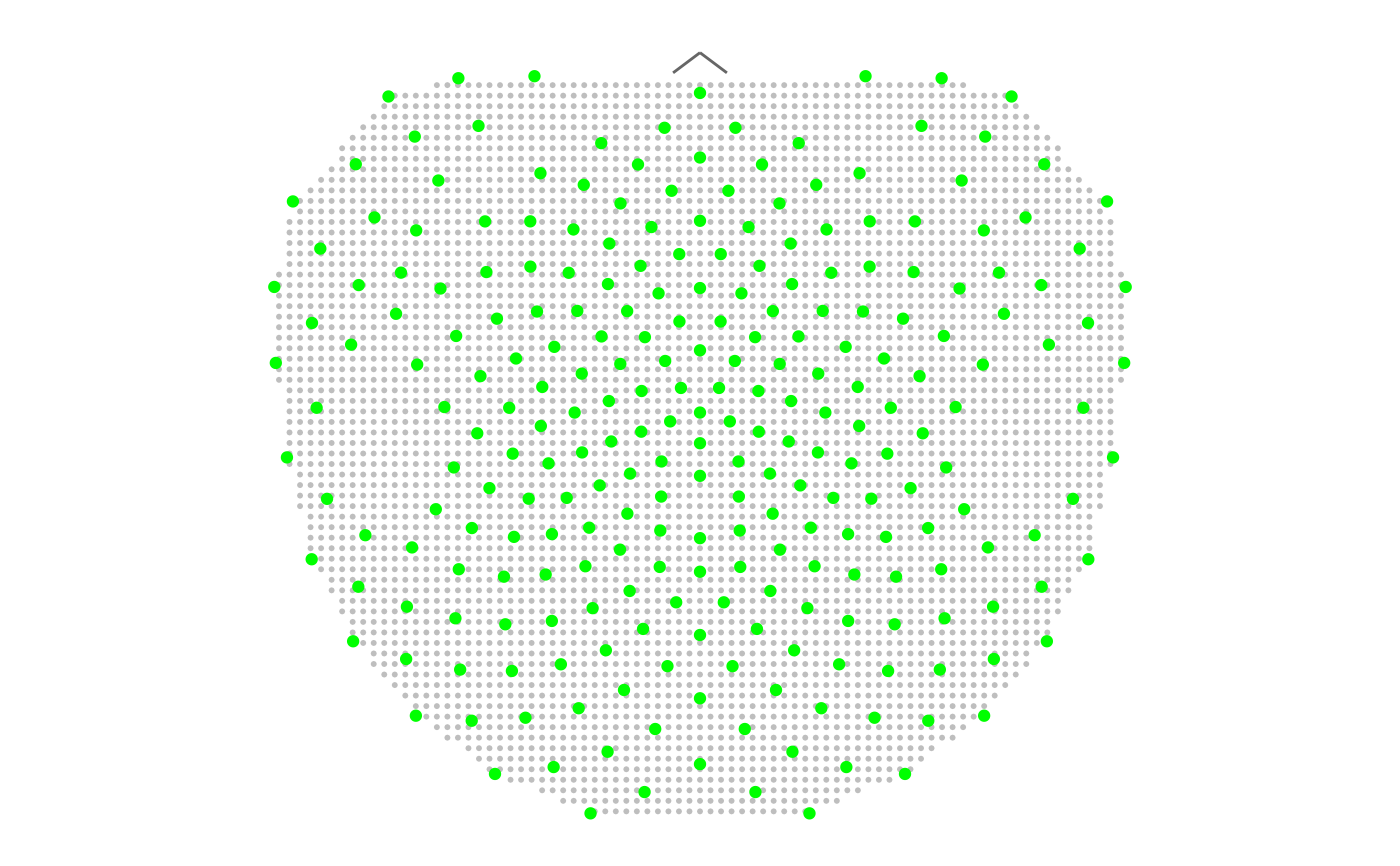
# 2D polygon point mesh with all sensors from the BioSemi 128 template
# Note: for nice plot we recommend set par(mar = c(0,0,0,0))
M <- point_mesh(n = 4000, template = "biosemi128")
plot_point_mesh(M, plot_dim = 2)
 ## Note: the example opens a rgl 3D viewer
# Plotting 3D polygon point mesh with default settings
rgl::open3d()
plot_point_mesh(M, plot_dim = 3)
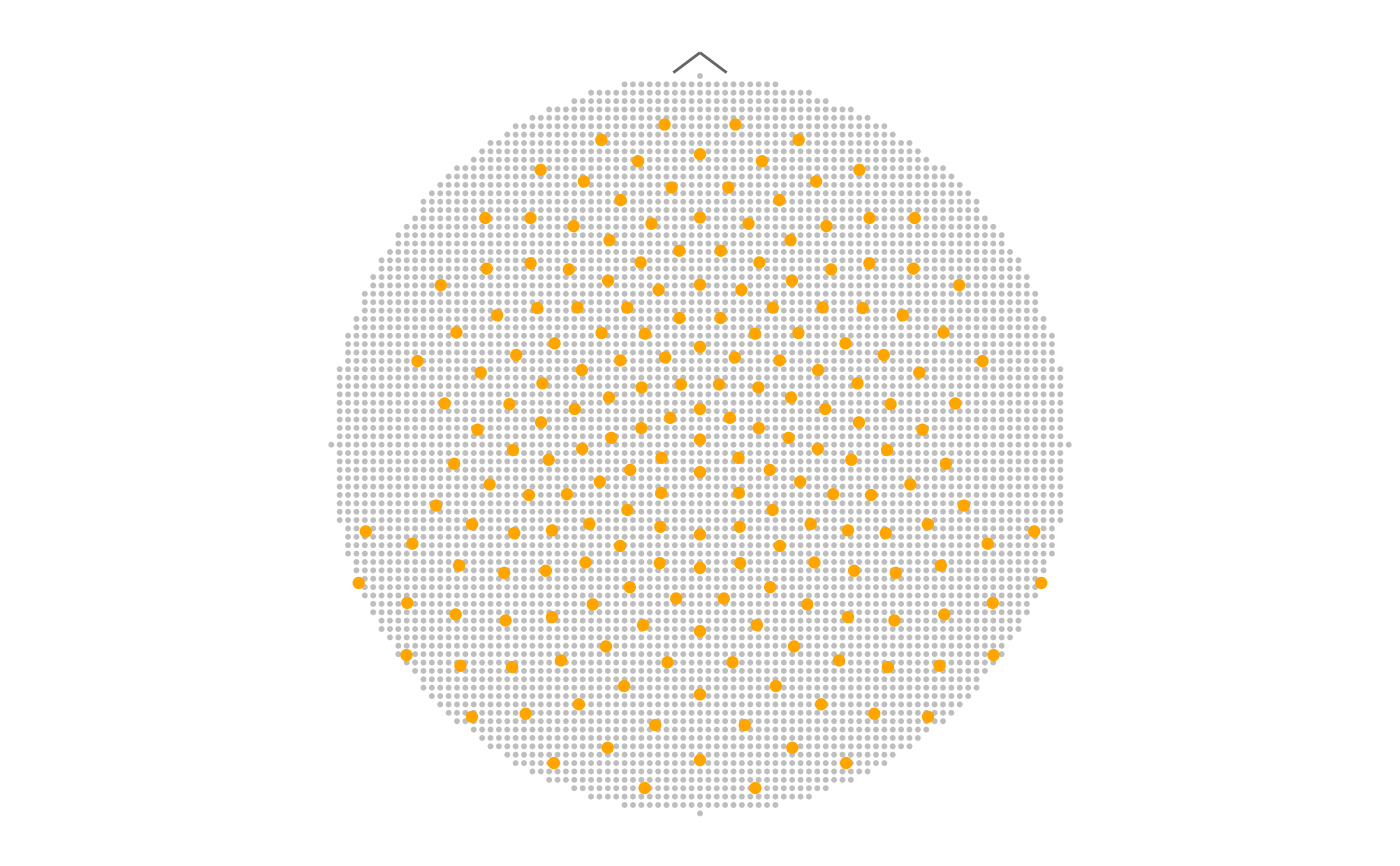
# Plotting 2D circle point mesh with sensors from epochdata as orange points
sensors <- unique(epochdata$sensor)
M <- point_mesh(dim = 2, n = 4000, template = "HCGSN256",
sensor_select = sensors, type = "circle")
plot_point_mesh(M, sensor_select = sensors, col_sensors = "orange")
## Note: the example opens a rgl 3D viewer
# Plotting 3D polygon point mesh with default settings
rgl::open3d()
plot_point_mesh(M, plot_dim = 3)
# Plotting 2D circle point mesh with sensors from epochdata as orange points
sensors <- unique(epochdata$sensor)
M <- point_mesh(dim = 2, n = 4000, template = "HCGSN256",
sensor_select = sensors, type = "circle")
plot_point_mesh(M, sensor_select = sensors, col_sensors = "orange")
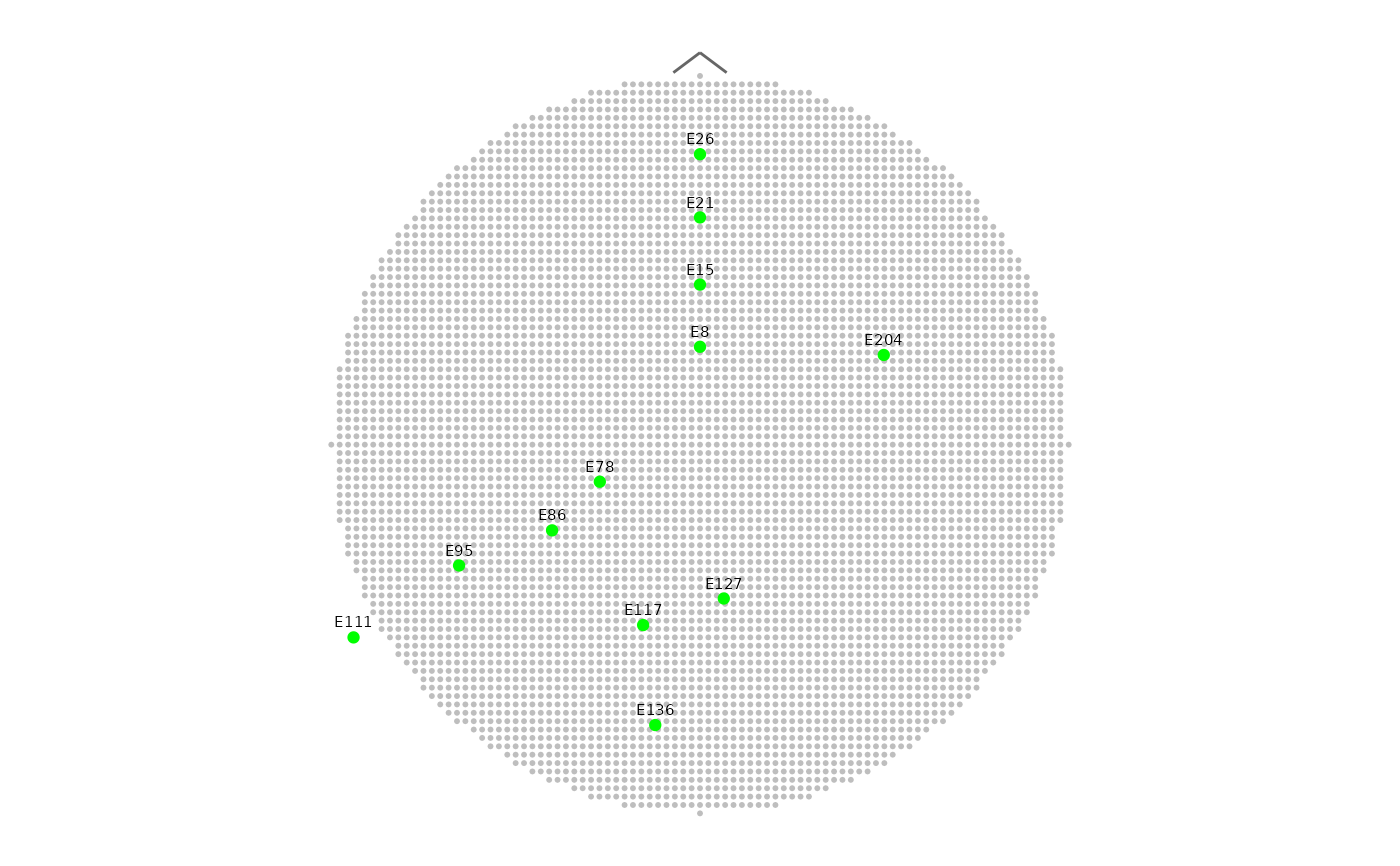
 # Plotting the same mesh with marking only midline electrodes
midline <- HCGSN256$D2[c(8, 15, 21, 26, 78, 86, 95, 111, 117, 127, 136, 204),]
names_vec <- HCGSN256$D2$sensor[c(8, 15, 21, 26, 78, 86, 95, 111, 117, 127, 136, 204)]
plot_point_mesh(M, label_sensors = TRUE, names_vec = names_vec, own_coordinates = midline)
# Plotting the same mesh with marking only midline electrodes
midline <- HCGSN256$D2[c(8, 15, 21, 26, 78, 86, 95, 111, 117, 127, 136, 204),]
names_vec <- HCGSN256$D2$sensor[c(8, 15, 21, 26, 78, 86, 95, 111, 117, 127, 136, 204)]
plot_point_mesh(M, label_sensors = TRUE, names_vec = names_vec, own_coordinates = midline)